
A brand new PlayStation 3 emulator for Android has just entered the scene. Meet ARMS X3

ARMSX3

ARMSX3 Emulator
ARMS X3: A New PlayStation 3 Emulator Brings RPCS3 to Android
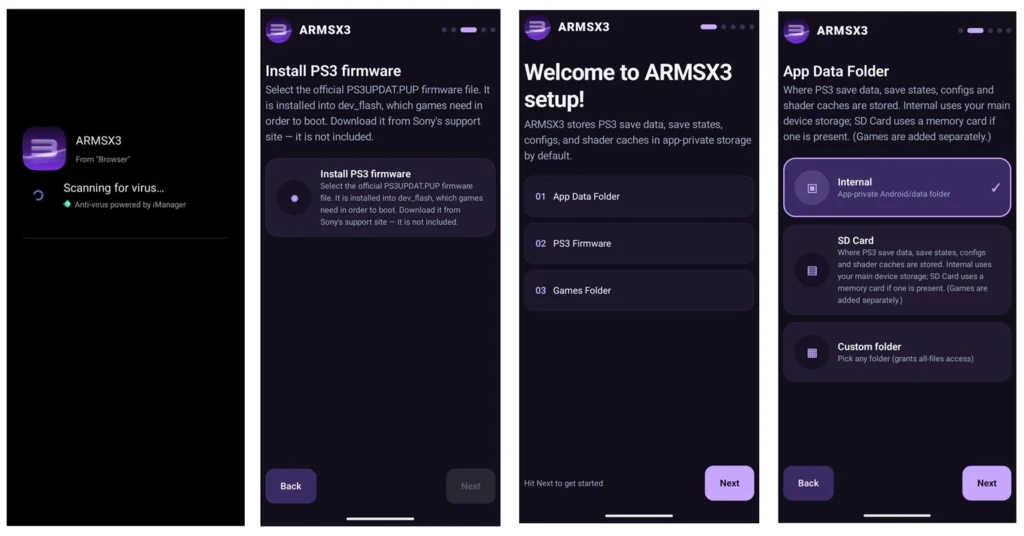
PlayStation 3 emulation on Android has taken another interesting step forward with ARMS X3, a new proof-of-concept Android port based on the open-source RPCS3 project.
Although ARMS X3 is still in its early stages, its first public release already includes several features that make it stand out. The emulator is built from recent upstream RPCS3 code and incorporates newer ARM64 improvements, giving the project a promising technical foundation.
Performance and compatibility are not yet on the level of mature PC-based PS3 emulation, but ARMS X3 shows that Android devices are gradually becoming more capable of handling demanding sixth- and seventh-generation console emulation.
What Is ARMS X3?
ARMS X3 is an experimental Android port of RPCS3, the well-known PlayStation 3 emulator available on PC.
One of the most interesting aspects of the project is its connection to the latest upstream RPCS3 development. Rather than being based on an old or heavily modified version of the emulator, ARMS X3 uses newer RPCS3 code and ARM64-related improvements.
This could be important for the project’s long-term development because improvements made to the underlying RPCS3 technology can potentially benefit the Android version as development progresses.
However, it is worth remembering that ARMS X3 is still a proof-of-concept project. Compatibility, performance, and stability can vary significantly from one game and device to another.
Folder-Format PS3 Games
One of the standout features of ARMS X3 is its support for folder-format PlayStation 3 games.
Instead of requiring a game to be packaged as an ISO image, compatible game dumps can be loaded from their original folder structure. This can be particularly useful for users working with legitimate game backups or development and preservation builds that are distributed in folder format.
The emulator can also remember game locations, making it easier to manage updates and additional content associated with installed games.
Automatic Game Library Detection
ARMS X3 also simplifies game management through automatic library detection.
Games placed in supported directories, such as the emulator’s virtual dev_hdd0/game location or designated game folders, can be detected automatically and added to the library.
This means users don’t necessarily have to manually configure every game after placing it in the appropriate location.
Built-In PKG Installer
Another useful addition is the built-in PKG installer.
PlayStation 3 content distributed as PKG packages can be installed directly through the emulator. The feature supports various types of content, including games, updates, and DLC.
ARMS X3 also supports split PKG files, which can be useful for larger packages distributed across multiple parts. Installed PKG content can also be managed from within the emulator.
For Android users, having these installation tools integrated into the emulator can make game management considerably more convenient.
Flexible Display Options
ARMS X3 provides several display and aspect-ratio options.
Users can choose common formats such as:
- 4:3
- 16:9
- 21:9 ultrawide
- Custom aspect ratios
A slider allows further adjustment when the standard presets aren’t suitable.
The emulator also keeps the console’s original aspect-ratio setting separate from the display options, giving users greater flexibility over how games are presented on modern Android screens.
Advanced RPCS3 Settings
For experienced users, perhaps one of the most important features is access to the emulator’s core RPCS3 settings.
These options provide greater control over graphics, performance, compatibility, and other emulation parameters. Advanced settings can sometimes make a significant difference when trying to get a particular game running correctly.
However, these settings are primarily useful for experienced users. Changing the wrong option can sometimes reduce performance or introduce compatibility problems, so beginners may be better off starting with the default configuration.
PPU and SPU Cache Management
ARMS X3 also includes manual cache-management options.
Users can clear the PPU and SPU caches when necessary. Cache problems can occasionally occur after changing emulator settings, updating software, or experimenting with different configurations.
Having direct access to cache management gives users another troubleshooting option without having to completely reinstall the emulator.
Early Stability Improvements
Despite being an early release, ARMS X3 already includes several stability-related improvements.
According to the project’s development information, performance-overlay settings can now be saved correctly, while changing settings during gameplay has been optimized to avoid unnecessary repeated configuration-file writes.
An issue that could cause games to remain stuck during SPU cache compilation has also been addressed.
The project also includes improvements aimed at devices with 8 GB of RAM or less. Better compiler-thread management can help reduce memory pressure during compilation, potentially improving stability on a wider range of Android hardware.
How Well Does It Perform?
Performance is probably the biggest question surrounding any new PS3 emulator for Android.
At this stage, ARMS X3 should not be expected to deliver consistent full-speed performance across the entire PS3 library. PlayStation 3 emulation is extremely demanding, and results depend heavily on the game, Android device, GPU, CPU, emulator configuration, and driver support.
Early testing reportedly included Skate 3, with a Snapdragon 8 Gen 2 device achieving roughly 20–30 FPS after shader compilation settled down.
That result shouldn’t be treated as a universal benchmark. Some games may perform better, while others could be significantly more demanding.
Lower-end Android devices are also unlikely to provide a smooth PS3 emulation experience at this stage.
A Promising Start for Android PS3 Emulation
ARMS X3 is still a young project, but its first release is already surprisingly feature-rich.
The combination of recent RPCS3 code, ARM64 improvements, folder-format game support, automatic library detection, PKG installation, DLC and update management, advanced configuration options, and cache controls gives the project a strong starting point.
The most exciting part may be what happens next. As ARM64 emulation technology continues to improve and developers optimize the Android port, performance and compatibility could gradually become better.
For now, ARMS X3 should be viewed as an experimental project rather than a finished PS3 emulator. Nevertheless, it represents an encouraging development for Android emulation and will be worth watching as future releases arrive.
Final Thoughts
Android PS3 emulation is still a challenging area, but projects like ARMS X3 demonstrate how quickly the landscape is evolving.
Its first public release already brings many of the features advanced users expect from a modern emulator. If development continues and the project benefits from ongoing improvements in the RPCS3 ecosystem, ARMS X3 could become an increasingly interesting option for Android users interested in PlayStation 3 emulation.